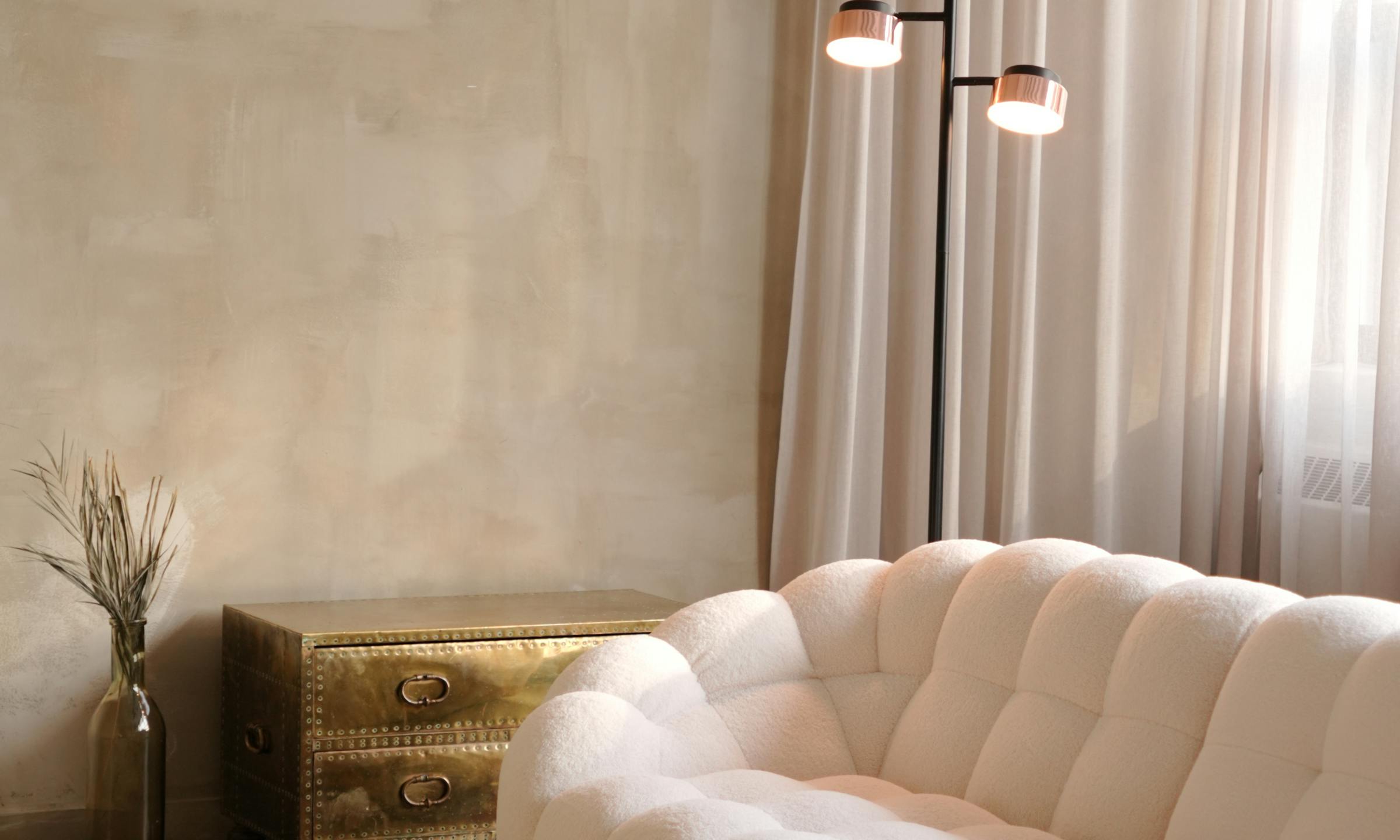
If you’ve had a client ask for a “more is more” look—and then immediately add “but not messy”—I know the feeling. That request is everywhere right now. Clients see these rich, layered, personal rooms online and want that feeling for themselves. But they’re afraid of the clutter. They want abundance, but they also want order.
Alcove at a glanceTrack client approvals and decisions in one place.
For us, this is a familiar balancing act. A maximalist project, done well, is a symphony of color, pattern, and objects. It tells a story. But without a clear process, it can quietly turn into visual chaos for the client—and a logistical nightmare for your studio. The key is making it all feel intentional.
The guiding hand: concept hierarchy and palette rules
Alcove at a glanceKeep room-level budgets visible to the team and the client.
Before you source a single pillow, you need a plan. The most successful layered rooms are built on a strong foundation. This starts with a clear concept hierarchy and a disciplined set of rules for your palette.
This framework is your anchor. It’s the logic that holds the whole design together. Maybe you decide on a primary color, two secondaries, and a single metallic finish. Or you build a palette around a single hero fabric, pulling colors and textures from its pattern. These rules aren't meant to restrict creativity—they're meant to guide it. They make sure every layer you add contributes to a cohesive vision instead of competing for attention.
Presenting this framework to the client first is crucial. It shows them the logic behind the layers. It builds their trust that you have a plan to deliver richness, not just a room full of things.
Presenting layers: grouping decisions for clarity
A maximalist room can easily have over a hundred individual items. Presenting them one by one is a recipe for overwhelming your client. We’ve all seen their eyes glaze over when faced with an endless spreadsheet of line items.
Instead, group related selections into "decision sets." Present the sofa, its fabric, the two contrast pillows, and the throw blanket all at once. Show them the full vignette for a bookshelf—the wallpaper behind it, the lamp, and a curated selection of objects. This helps the client see the vision, not just the parts. They approve a cohesive look, not just a single SKU.
Most studios I know build these presentations in slide decks or on pin boards. That works for the visual part. But it leaves approvals and comments disconnected from the actual product data and budget. Alcove lets you present products in grouped, visual sets right in a client portal—so their approval is tied directly to the spec and the budget line.
The financial thread: budgeting for every detail
More items means more line items. More line items means more complexity in your budget. If you’re tracking a project in a spreadsheet, a layered room is where the formulas start to break. It's where the copy-paste errors creep in.
You need to track the cost, markup, shipping, and tax for every single piece. It’s the only way to protect your margin and give your client a clear picture of the total investment.
Let's look at a simple vignette for a living room corner:
-
Item: Custom armchair from a workroom like "Monarch Seating."
-
Trade Cost: $3,200 (frame) + 8 yards of COM fabric @ $110/yd ($880) = $4,080
-
Your Markup (35%): $4,080 x 0.35 = $1,428
-
Client Price (pre-ship): $4,080 + $1,428 = $5,508
-
Item: Side table from a trade source.
-
Trade Cost: $950
-
Your Markup (40%): $950 x 0.40 = $380
-
Client Price (pre-ship): $950 + $380 = $1,330
-
Item: Reading lamp.
-
Trade Cost: $475
-
Your Markup (40%): $475 x 0.40 = $190
-
Client Price (pre-ship): $475 + $190 = $665
Now, add freight for the chair ($450), shipping for the table ($120), and parcel shipping for the lamp ($45). Suddenly, you’re not just tracking three items—you’re tracking purchase costs, markup, client prices, and multiple shipping costs that all need to be reconciled. A system that tracks the full landed cost for every single item gives you—and your client—total clarity.
From concept to install: tracking the many moving pieces
Once the client approves and the deposits are paid, the real administrative work begins. For a maximalist project, this can feel like a full-time job in itself. You’re generating dozens of POs. You’re chasing lead times that range from 4 weeks for a quick-ship item to 24 weeks for a custom sofa. You’re tracking backorders, dye lot cuttings, and shipments from multiple vendors.
Most studios I've worked with manage this across a mix of tools—a spreadsheet for tracking, folders of POs in Dropbox, and endless email threads with vendors and receiving warehouses. It works, until it doesn’t. One missed email about a backorder can throw off your entire install schedule.
You need one central place to see the status of every single item. What’s been ordered, what’s in production, what’s shipped, and what’s been received at the warehouse and inspected for damage. Alcove gives your team one organized system for POs, order status, and receiving—so you're no longer digging through emails for answers.
The art of editing: refining the layers
Even with the best planning, a maximalist room benefits from one final, critical look. This is the art of the edit. After the big pieces are in place, you step back and assess the whole picture.
Is there a corner that feels too heavy? A color that’s fighting for attention? Does the room breathe? This is where your designer’s eye is most valuable. It’s the moment you might pull one small object away to let another one shine. Or you add a single, unexpected piece that ties everything together. This final pass is what elevates a room from being full to being finished. It’s what makes the design feel curated, personal, and truly intentional.
Managing a layered, object-rich design requires a process that is as intentional as the design itself. A clear system for concepts, approvals, budgets, and logistics lets you focus on the creative decisions that make the room sing.
Price with clarity. Install with confidence.
See how we do it at alcove.co.

FAQs
How do I explain 'intentional maximalism' to a client who's hesitant?
Start by showing examples that illustrate the difference between curated layers and clutter. Emphasize that it's about richness and storytelling, not just filling space. Explain that your process will involve clear conceptual guidelines and careful selection, ensuring every piece has a purpose and contributes to a cohesive narrative, rather than just being 'more stuff.' It's about depth and personality, not just volume.
What's the biggest challenge when designing a maximalist room?
The biggest challenge is maintaining visual harmony and a sense of purpose amidst the abundance. It's easy for a room to tip from rich and layered into chaotic and overwhelming. This is why a strong foundational concept, a disciplined color palette, and a meticulous tracking system for every item are non-negotiable. Without these, the project can quickly become unmanageable for both you and your client, leading to a less-than-stellar outcome.
How do I manage revisions when there are so many items in a maximalist design?
Managing revisions in a layered design requires a structured approach. Instead of revising individual items in isolation, revisit the grouped selections or even entire zones. Use your project management tool to track client comments and approval statuses clearly. This allows you to see how a change to one item might impact the overall grouping and budget, ensuring revisions are intentional and don't unravel the entire design. It's about strategic adjustments, not piecemeal changes.
See how Alcove does this
See how we do it at alcove.co.





